
Development
How to Fix Xdebug Not Connecting to PhpStorm in Lando WordPress
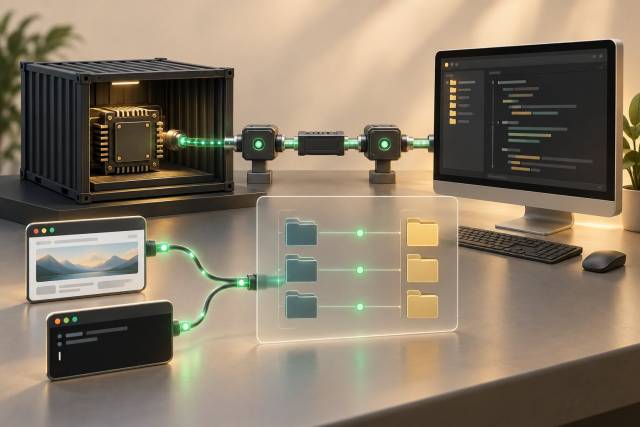
When Xdebug does not connect to PhpStorm in a Lando WordPress project, guessing at configuration values is slow. Follow the connection in order: PHP must load Xdebug, the request must start a debug session, the container must reach the host listener, and PhpStorm must map the reported file path back to the local project.
Each checkpoint has a distinct symptom. Verify one before changing the next.
1. Confirm which PHP process you are testing
Lando can run PHP through the web service and through CLI tooling. A working CLI configuration does not prove that the web request uses the same service or INI files.
Check the CLI first:
lando php -v
lando php --ri xdebug
If xdebug is absent, enable it in the WordPress recipe and rebuild:
name: wordpress-debug
recipe: wordpress
config:
  webroot: wordpress
  php: '8.3'
  xdebug: "debug,develop"
  config:
    php: .lando/php.ini
services:
  appserver:
    overrides:
      environment:
        PHP_IDE_CONFIG: "serverName=wordpress-debug"
Create the mapped .lando/php.ini file in the project:
xdebug.start_with_request=trigger
xdebug.client_host=host.docker.internal
xdebug.client_port=9003
lando rebuild -y
lando php --ini
lando php --ri xdebugLando's xdebug: "debug,develop" setting requests both modes. Lando documents xdebug: true as enabling only debug. Do not rely on an xdebug.mode line in the custom INI file to add develop while Lando sets XDEBUG_MODE; that environment variable overrides the INI mode. See Lando's PHP configuration and the Lando and PhpStorm guide for recipe-specific details.
After rebuilding, check the CLI's effective modes in lando php --ri xdebug. It should list both debug and develop under enabled features. Also inspect XDEBUG_MODE inside the same appserver service:
lando ssh -s appserver -c 'printenv XDEBUG_MODE'For the web runtime, temporarily create a private diagnostic route that calls xdebug_info() and displays getenv('XDEBUG_MODE'). Request it through the Lando site, then confirm that debug and develop are both enabled and that the mapped INI file, client host, and port match the CLI checks. A CLI result does not establish the web request's effective mode. Remove the route immediately. Never leave PHP environment output reachable on a public site because it exposes filesystem and configuration details.
If you prefer to manage the mode in .lando/php.ini, follow Lando's documented alternative: set XDEBUG_MODE: with no value in the appserver environment override, then add xdebug.mode=debug,develop to the mapped INI file. Rebuild and repeat both CLI and web checks to confirm the effective modes.
2. Verify Xdebug mode and start behavior
Xdebug 3 needs the effective mode to include debug. It also needs to know when to begin a step-debugging session.
Port 9003 is the Xdebug 3 default. The value must match PhpStorm's Xdebug port. Check the effective value with:
lando php --ri xdebugtrigger mode avoids opening a debug connection for every request. Start a browser request with a supported browser helper or an XDEBUG_TRIGGER cookie/query parameter. Trigger a CLI script inside the service with:
lando ssh -s appserver -c 'XDEBUG_TRIGGER=1 php /app/wordpress/wp-cron.php'The Xdebug step-debugging documentation is the source of truth for modes, triggers, client discovery, and logging.
XDEBUG_TRIGGER decides whether this request starts step debugging. PHP_IDE_CONFIG=serverName=wordpress-debug does a different job: it tells PhpStorm which configured server and path mapping apply. Setting one does not replace the other.
If the extension is loaded but the Xdebug information page says step debugging is disabled, fix the mode before changing networking.
3. Make sure PhpStorm is listening
In PhpStorm, enable “Start Listening for PHP Debug Connections.” Check the configured debug port and ensure another process is not using it.
On the host, inspect the listener with the platform's network tools. For example on Linux:
ss -ltn | grep ':9003'No listener means the container has nowhere to connect. A listener that is bound only to an inaccessible interface can produce the same symptom.
Firewalls, VPN clients, endpoint security tools, and another container network can block the connection. Test the host route from the exact Lando appserver service rather than from the host itself.
4. Verify the container can reach the host
Xdebug initiates the connection from PHP to the IDE. PhpStorm does not dial into the container.
Inspect the effective xdebug.client_host. In a Lando environment, use the host address exposed by the current Lando networking setup, as documented by Lando. Do not copy a Docker address from an unrelated operating system or an old project.
From the appserver, resolve and test the selected host without sending application data:
lando ssh -s appserver -c 'getent hosts host.docker.internal'
lando ssh -s appserver -c 'php -r "var_dump(@fsockopen(\"host.docker.internal\", 9003, \$errno, \$error, 2));"'
If your Lando installation exposes a different host name or address, use that documented value in both the test and Xdebug configuration. The socket test should be performed only while PhpStorm is listening.
Dynamic client discovery can be convenient for direct local requests, but proxy headers can make it unsafe or unreliable when untrusted clients can influence them. A known local host route is easier to reason about.
5. Turn on a temporary Xdebug log
When the listener and route look correct, enable a temporary log inside the container:
xdebug.log=/tmp/xdebug.log
xdebug.log_level=7
Rebuild or restart the relevant service, trigger one request, and inspect the log:
lando ssh -s appserver -c 'tail -n 100 /tmp/xdebug.log'The log distinguishes “no trigger” from “connection attempted and refused” or “connected successfully.” Remove verbose logging after diagnosis. It creates noise, consumes disk, and may include file paths or request context.
6. Configure server and path mappings
If Xdebug connects but breakpoints stay hollow or execution stops in an unexpected file, networking is probably working. The remaining problem is usually path mapping.
Xdebug reports container paths, such as:
/app/wordpress/wp-content/plugins/sample-plugin/src/Service.phpPhpStorm needs to map the container project root to the local project root. Create a PHP server entry named exactly wordpress-debug to match PHP_IDE_CONFIG, use the hostname you browse in Lando, enable path mappings, and map:
/app/wordpress -> /your/local/project/wordpressMap the broadest correct shared root once. Do not create several overlapping mappings for individual plugin folders unless the repository layout genuinely requires them. JetBrains documents the server and mapping model in its PhpStorm Servers guide.
Check filename case too. A case mismatch can appear harmless on a case-insensitive host and fail inside a Linux container.
7. Separate browser and WP-CLI diagnosis
Browser requests and CLI commands have different trigger and routing paths.
For a browser request, verify:
- You are using the expected Lando URL.
- The Xdebug trigger is present.
- The web request reaches the appserver with Xdebug enabled.
- The server name and host in PhpStorm match.
- A cache or reverse proxy is not answering without PHP.
For WP-CLI, verify:
- The command runs in the appserver service.
lando php --ri xdebugreports debug mode.XDEBUG_TRIGGER=1reaches the PHP process.- The CLI file path has a valid local mapping.
- The command does not spawn a different worker container.
Use a breakpoint in code that the request definitely executes. A breakpoint in a hook that is not registered can make a correct debugger look broken.
A symptom-to-check map
| Symptom | Check first |
|---|---|
Xdebug is missing from php -v | Lando recipe, rebuild, effective INI |
| Xdebug is loaded but makes no attempt | Mode and request trigger |
| Log says connection refused | PhpStorm listener and port |
| Host cannot be resolved | Lando host route and container DNS |
| Debugger connects but breakpoint is hollow | Server path mapping and file case |
| CLI works but browser does not | Web service, browser trigger, proxy/cache |
| Browser works but WP-CLI does not | CLI trigger and service selection |
Change one layer at a time and repeat the same minimal request. Editing the port, host, trigger, and mapping simultaneously removes the evidence that tells you which layer was wrong.
Disable the overhead when finished
Step debugging slows requests. Keep xdebug.start_with_request=trigger for normal development, stop listening when you do not need it, or disable Xdebug through the project's documented Lando workflow.
After the fix, remove temporary diagnostic routes and logs, record the working host and path mapping in project documentation, and test both one browser request and one WP-CLI command. That turns a one-off workstation fix into a repeatable team setup.