
Development
Why Paying Members Lose Access After Checkout
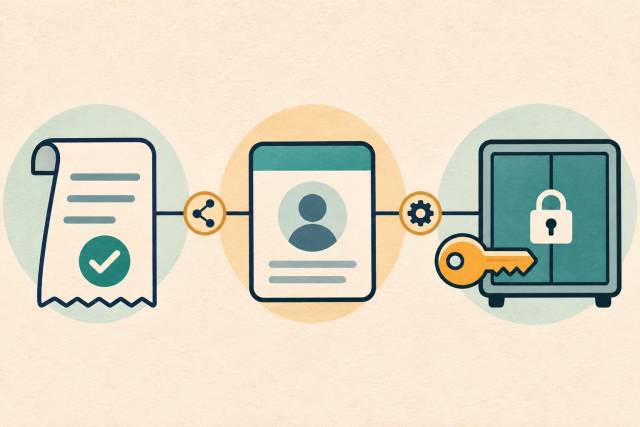
Paying members lose access after checkout when something between the payment and the protected page fails to establish the right access for the right account. A successful charge is evidence about payment. It does not, by itself, prove that your WordPress membership integration updated an entitlement or that the member's next request used it.
The useful first question is: At which boundary does a successful purchase stop producing the expected evidence? Answer that before replacing a plugin, issuing another charge, or changing access rules. The cause on your site still needs investigation.
Trace why paying members lose access after checkout
Separate four stages, even if one plugin appears to manage all of them:
- Payment: the provider records the payment state required by your product's policy. A checkout screen alone is insufficient evidence.
- Account identity: the purchase is linked to the intended WordPress user. A billing email and a logged-in account are not necessarily the same identity.
- Entitlement: the membership system records the correct plan, status, and validity period for that account.
- Authorization: the protected resource evaluates that entitlement for the actual member request and returns the expected content.
For each stage, capture the relevant identifiers, timestamp with timezone, expected result, and observed result. Use a stable order or purchase reference to connect records; do not rely on matching approximate times alone. Keep customer details and raw payment payloads out of a shared investigation brief.
An entitlement is the application's record of what someone may access. It may live in plugin-specific records rather than a WordPress role. WordPress documents current_user_can() as a capability check. Passing one capability check does not establish that a third-party membership plugin granted the correct subscription or content access. Inspect the authorization path your installed integration actually uses.
Compare a successful and failed sandbox timeline
Use a disposable staging environment with sandbox payments and synthetic accounts. Start with the same product and protected page, then compare one purchase that grants access with one that reproduces the reported symptom. Preserve differences such as guest versus logged-in checkout rather than smoothing them away.
This is a hypothetical comparison, not a reported client incident or an executed test:
| Boundary | Successful fixture | Failed fixture | Next evidence to inspect |
|---|---|---|---|
| Payment | Purchase A meets the paid-state policy | Purchase B meets the same policy | Provider record and purchase reference |
| Identity | Purchase A maps to test user A | Purchase B maps to test user B | Checkout mapping and current session user |
| Entitlement | User A has the purchased plan | No matching plan appears for user B | Integration processing result and membership record |
| Authorization | User A opens the protected page | User B is denied | Request identity and the access rule evaluated |
This comparison narrows the first visible divergence to entitlement creation. It does not yet prove a webhook failed: the integration might have rejected the product mapping, stopped a background job, or written somewhere unexpected. Record the missing transition, then test a specific explanation.
If the failed fixture instead has the correct entitlement, investigate the request and authorization rule before retrying payment processing. That distinction prevents repair work from creating a second problem.
Check delivery and processing separately
Stripe Checkout is one provider-specific example. Its fulfillment guide explains why the landing-page redirect cannot be the only fulfillment trigger: a paying customer might never reach that page. It also distinguishes delayed payment confirmation. Do not treat every completed checkout as sufficient proof that the payment state required for access has arrived.
For an installed Stripe integration, establish which event and payment state should update membership under its documented policy. Then compare the provider's delivery result with the application's processing record and the persisted entitlement. A successful endpoint response does not alone prove that a later worker completed the membership update.
Stripe's webhook documentation says delivery order is not guaranteed and duplicate events can occur. Test whether the integration safely handles repeated delivery and later-arriving state changes. An implementation should avoid duplicate grants while still allowing legitimate renewal or cancellation changes. Verify those behaviors against the particular plugin and integration version; these Stripe facts do not describe every WordPress payment provider.
Check identity, validity, and the page response
Identity mismatch: compare the account linked to the order with the account making the denied request. Include guest purchases, existing accounts, and a member using a different browser. Do not merge accounts based solely on similar email addresses. Define an ownership verification and correction process first.
Wrong or expired entitlement: compare the purchased product with the recorded membership level and validity dates. Write down the intended renewal, grace-period, cancellation, and refund policies before calling a state incorrect. A payment for one product need not authorize another protected area.
A response that does not reflect current state: compare the membership record and authorization result with what the browser receives. If a fresh, correctly authenticated request is allowed but a previously loaded page still shows a denial, examine session and cache behavior in staging. That is a hypothesis to test, not proof that caching caused the incident. Do not cache personalized protected content as a public response to make the symptom disappear.
For each candidate cause, require a reproduction, evidence of the broken transition, and a correction that changes the observed result. A missing log is a visibility gap, not proof of a missing payment or entitlement.
Choose a bounded recovery and regression check
Agree on the affected purchase set and current access policy before modifying records. Preserve the original evidence and define who approves any correction, how it is recorded, and how it can be reversed. Do not ask a member to pay again just to trigger access.
Test the proposed repair on synthetic records first. If production reconciliation or event replay is needed, use a reviewed plan that checks current payment and membership state, handles repeats safely, and verifies the result for the intended account. Avoid blanket access grants or indiscriminate live-event replays.
A useful regression checklist covers:
- A new member receives only the purchased access.
- An existing member's purchase maps to the intended account.
- A delayed confirmation grants access at the policy's correct point.
- A repeated event does not create duplicate or extended access.
- A later renewal, expiry, cancellation, or refund follows the agreed policy.
- Another account and a logged-out visitor remain denied.
- Reloading the protected page reflects the corrected state without exposing another member's content.
These are acceptance criteria for the integration under review, not a claim that a particular plugin already passes them.
What should a focused technical review deliver?
Ask for a map of the payment-to-access path, a sanitized comparison timeline, the verified failure boundary, and a scoped repair with regression evidence. If the cause remains unproven, the deliverable should name the missing evidence and the next test rather than present a guess as a diagnosis.
Keep the initial scope narrow: one product, one account path, and one protected resource can establish whether broader work is justified. Plugin replacement or a membership migration has a larger cost and operational footprint. The membership migration guide addresses that separate decision; the membership plugin selection guide helps when requirements genuinely call for a different product.
If your team can see a successful payment but cannot explain the resulting access decision, discuss a focused WordPress integration review. Bring a sanitized timeline and the decision you need to make, rather than credentials or customer exports.
Common questions
Does a successful payment prove membership access was granted?
No. Verify the account mapping, stored entitlement, and protected request separately. They are different evidence boundaries even when one plugin presents them in one dashboard.
What evidence should I capture before asking for help?
Record the relevant software versions, product and purchase references, timestamps, intended account mapping, expected membership state, and observed denial. Share a sanitized summary through an agreed channel. Keep secrets, full payment payloads, and customer records out of the initial brief.
Can cached pages make a member look locked out?
They can be a candidate explanation when the response disagrees with the current account and entitlement state. Compare fresh authenticated requests and cache behavior in staging before changing cache rules. Confirm that the proposed correction also keeps protected content private.