
Development
A Practical AI Workflow for WordPress Developers
Most WordPress developers use AI like a faster autocomplete tool and stop there. I think that leaves a lot of value on the table. A practical AI workflow for WordPress development should help you plan, write, review, and improve code quality, not just spit out the first draft.
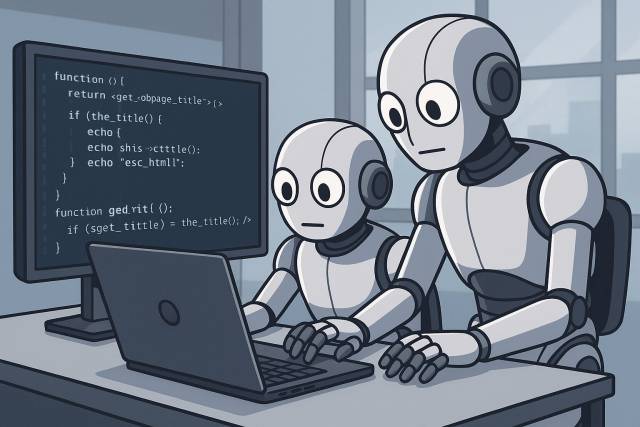
The workflow I use is simple: one AI helps me produce the first implementation, and another reviews it hard enough to catch problems before they become plugin bugs, security issues, or maintenance debt.
Why an AI workflow works well for WordPress plugin development
WordPress plugin work has a lot of hidden edge cases. Capability checks, sanitization, escaping, nonces, REST endpoints, admin UX, query performance, and backwards compatibility all matter. That makes WordPress a strong fit for an AI workflow that separates code generation from code review.
- One pass gets you moving quickly.
- A second pass pushes on code quality and safety.
- The loop makes weak assumptions easier to spot.
The four-step AI workflow I use
1. Plan the feature before asking AI to code
I start by writing the feature intent in plain English. What should the plugin do, what are the constraints, and what WordPress rules matter here? This step sounds small, but it is what keeps the prompts grounded in the actual product need.
For plugin development, I usually specify things like hooks, capability requirements, data shape, sanitization rules, and where the feature should live in the plugin structure.
2. Use AI to generate the first implementation
Once the request is clear, I ask the coding model to produce the first implementation. The prompt is not “write me a plugin.” It is more like “build this endpoint, use WordPress best practices, and keep the code maintainable.”
Create a REST API endpoint that returns the latest posts and follows WordPress best practices for security, sanitization, escaping, and capability checks.
This first pass is about speed. It gets me a draft I can react to instead of a blank file.
3. Run a separate AI code review pass
This is the part many developers skip. A separate review pass turns AI from a code generator into an actual workflow. I ask for a structured review focused on bugs, WordPress conventions, security, and maintainability.
Review this WordPress plugin code for critical, high, and medium issues. Look for security concerns, escaping, sanitization, capability checks, query problems, and long-term maintenance risks.
This review pass usually catches things like missing nonce validation, weak capability checks, overcomplicated abstractions, or sloppy query handling. That is where AI prompts improve WordPress plugin code quality the most.
4. Fold the findings back into the implementation
Then I push the review findings back into the coding step and tighten the implementation. Sometimes it takes one loop. Sometimes it takes three. The point is not to worship the first draft. The point is to use AI workflow automation to reduce obvious mistakes before I spend human review time.
Where this workflow helps most
- new plugin features with multiple moving parts
- admin screens and form handling
- REST endpoints and AJAX handlers
- refactors where you want another set of eyes on risk
- routine code review checklists that are easy to overlook when tired
It also pairs well with a solid local environment. If you are doing WordPress plugin work in Lando, see how I set up WordPress in Lando for plugin development. If the AI review loop points out structural code issues, I fall back to the same habits I use in PHP code refactoring for legacy codebases. And when the implementation touches plugin UX, I keep developer experience in mind too.
What this workflow is not
It is not a replacement for judgment. It is not a guarantee that the code is correct. It is not a reason to skip testing. What it does give me is faster drafts, better review coverage, and a more consistent path to cleaner WordPress code.
Final take
If you are experimenting with WordPress AI workflows, keep the process simple: plan clearly, generate the first draft, review it separately, and iterate until the obvious risks are gone. That is the version of AI-assisted WordPress development that has actually saved me time.
If you need help applying this kind of workflow to a real PHP or WordPress codebase, my PHP and AI-workflow consulting page covers the kind of work I do.