
Development
How to Build PHP MySQL Pagination
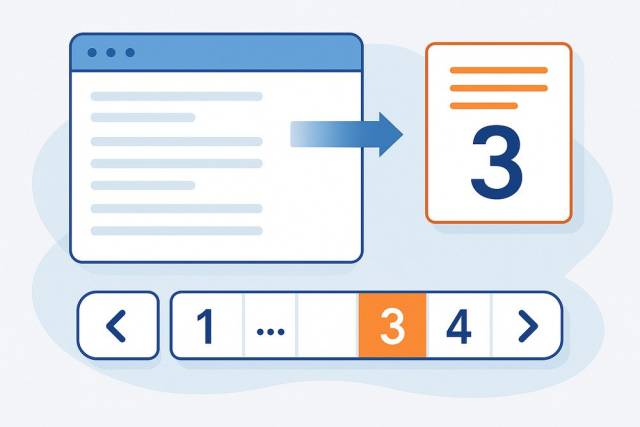
PHP MySQL pagination becomes necessary as soon as a result set is too large to load and scan comfortably. The basic version needs four values: the current page, rows per page, total rows, and SQL offset.
This guide builds a complete pagination example with PDO, MySQL, validated query-string input, stable ordering, and accessible page links. It also explains when LIMIT and OFFSET stop being the right approach.
PHP pagination formula
The offset is the number of rows MySQL should skip:
$perPage = 20;
$page = max(1, (int) ($_GET['page'] ?? 1));
$offset = ($page - 1) * $perPage;
Page 1 starts at offset 0. Page 2 starts at offset 20. Page 3 starts at offset 40.
The total number of pages comes from the row count:
$totalPages = max(1, (int) ceil($totalRows / $perPage));Those two calculations drive both the database query and the navigation links.
Complete PHP MySQL pagination example with PDO
This example assumes $pdo is an existing PDO connection configured to throw exceptions.
<?php

$perPage = 20;
$requestedPage = filter_input(
    INPUT_GET,
    'page',
    FILTER_VALIDATE_INT,
    array(
        'options' => array(
            'default' => 1,
            'min_range' => 1,
        ),
    )
);

$countStatement = $pdo->query('SELECT COUNT(*) FROM users');
$totalRows = (int) $countStatement->fetchColumn();
$totalPages = max(1, (int) ceil($totalRows / $perPage));
$page = min((int) $requestedPage, $totalPages);
$offset = ($page - 1) * $perPage;

$statement = $pdo->prepare(
    'SELECT id, name, email, created_at
     FROM users
     ORDER BY created_at DESC, id DESC
     LIMIT :limit OFFSET :offset'
);

$statement->bindValue(':limit', $perPage, PDO::PARAM_INT);
$statement->bindValue(':offset', $offset, PDO::PARAM_INT);
$statement->execute();

$users = $statement->fetchAll(PDO::FETCH_ASSOC);
Binding LIMIT and OFFSET as integers matters. Quoting or interpolating raw query-string values into SQL is unnecessary and unsafe.
The secondary id DESC ordering also matters. If multiple rows share the same created_at value, MySQL still has a deterministic way to order them. Without stable ordering, rows can appear on two pages or seem to disappear between requests.
Render the current page safely
Escape database values when outputting them into HTML:
<?php foreach ($users as $user): ?>
    <article>
        <h2><?= htmlspecialchars($user['name'], ENT_QUOTES, 'UTF-8') ?></h2>
        <p><?= htmlspecialchars($user['email'], ENT_QUOTES, 'UTF-8') ?></p>
    </article>
<?php endforeach; ?>
Parameterized SQL protects the query. HTML escaping protects the rendered page. They solve different problems, so a secure pagination script needs both.
Build accessible pagination links
For a small number of pages, rendering every page number is reasonable:
<nav aria-label="Results pages">
    <?php if (1 < $page): ?>
        <a href="?page=<?= $page - 1 ?>" rel="prev">Previous</a>
    <?php endif; ?>

    <?php for ($number = 1; $number <= $totalPages; $number++): ?>
        <?php if ($number === $page): ?>
            <span aria-current="page"><?= $number ?></span>
        <?php else: ?>
            <a href="?page=<?= $number ?>"><?= $number ?></a>
        <?php endif; ?>
    <?php endfor; ?>

    <?php if ($page < $totalPages): ?>
        <a href="?page=<?= $page + 1 ?>" rel="next">Next</a>
    <?php endif; ?>
</nav>
aria-current="page" tells assistive technology which page is active. The rel values also describe the previous and next relationships.
Preserve filters and search parameters
A common pagination bug is dropping the user's filters when building the next-page URL. Put URL generation in one function so every link behaves consistently:
/**
 * Builds a pagination URL while preserving current query parameters.
 *
 * @param int                  $page       Destination page.
 * @param array<string, mixed> $parameters Current query parameters.
 * @return string
 */
function paginationUrl(int $page, array $parameters): string
{
    $parameters['page'] = $page;

    return '?' . http_build_query($parameters);
}
Use it when rendering links:
<a href="<?= htmlspecialchars(paginationUrl($number, $_GET), ENT_QUOTES, 'UTF-8') ?>">
    <?= $number ?>
</a>
If the current page is filtered by role=editor or search=mike, those values remain in the next link.
Avoid thousands of numbered links
If a query has hundreds or thousands of pages, do not render every page number. Show a small window around the current page:
$window = 2;
$firstPage = max(1, $page - $window);
$lastPage = min($totalPages, $page + $window);

for ($number = $firstPage; $number <= $lastPage; $number++) {
    /* Render the page link. */
}
You can render first and last links separately if users need quick access to the boundaries.
PHP pagination with MySQLi
The pagination math does not change when a project uses MySQLi. Bind the limit and offset as integers:
$statement = $mysqli->prepare(
    'SELECT id, name, email, created_at
     FROM users
     ORDER BY created_at DESC, id DESC
     LIMIT ? OFFSET ?'
);

$statement->bind_param('ii', $perPage, $offset);
$statement->execute();
$result = $statement->get_result();
$users = $result->fetch_all(MYSQLI_ASSOC);
Use PDO or MySQLi according to the existing application. Pagination quality depends more on input validation, stable ordering, indexes, and output handling than on which supported extension you choose.
Common PHP pagination mistakes
Trusting the requested page number
Reject values below 1 and clamp values above the final page. This prevents negative offsets and empty pages caused by arbitrary input.
Forgetting stable ordering
Always use ORDER BY, preferably with a unique secondary column. Pagination over unordered results is not reliable.
Loading columns the page does not use
Select the needed columns instead of SELECT *. This reduces database work, memory use, and accidental exposure of fields.
Counting an expensive query on every request
COUNT(*) is fine for many applications, but complex filters and joins can make it expensive. Profile it separately from the page query. Some interfaces can use Previous and Next navigation without displaying an exact total.
Rendering an enormous list of links
Use a small page window. Thousands of page links are slow, noisy, and not useful.
Ignoring concurrent changes
With offset pagination, new or deleted rows can move existing results between requests. Stable ordering helps, but it cannot prevent every shift. Cursor pagination is better for feeds and rapidly changing datasets.
Index the query for its sort order
The example sorts by created_at DESC, id DESC. On a large table, a matching composite index can reduce the work MySQL performs:
CREATE INDEX users_created_id
ON users (created_at DESC, id DESC);
The correct index depends on filtering and sort conditions. Use EXPLAIN against the real query instead of adding indexes blindly.
If each displayed row triggers additional queries for related data, pagination alone will not fix the page. That is often an N+1 query problem.
When to replace OFFSET with cursor pagination
MySQL still has to locate and skip rows for a query such as OFFSET 500000. Deep pages therefore become slower even when only 20 rows are returned.
Cursor pagination uses the final value from the previous page instead:
$statement = $pdo->prepare(
    'SELECT id, name, email
     FROM users
     WHERE id < :last_id
     ORDER BY id DESC
     LIMIT :limit'
);

$statement->bindValue(':last_id', $lastId, PDO::PARAM_INT);
$statement->bindValue(':limit', $perPage, PDO::PARAM_INT);
$statement->execute();
The next request sends the final id it received. MySQL can continue from that indexed value instead of skipping every earlier row.
Cursor pagination is a good fit when:
- Users move forward and backward rather than jumping to arbitrary pages.
- The dataset changes frequently.
- Deep offsets have become measurably slow.
- A feed or API does not need an exact page count.
Offset pagination remains easier when users need numbered pages or direct access to page 25. Choose based on the interface and measured query behavior.
Keep the pagination code focused
Database fetching, URL generation, and HTML rendering are separate responsibilities. Keeping them separate makes the pagination logic easier to test and reuse without building an oversized pagination framework.
Start with validated LIMIT and OFFSET, deterministic ordering, a real row count, and accessible links. Move to cursor pagination only when the data size and interaction model justify it.
For broader database and application tuning, work through these PHP performance bottlenecks. If the surrounding code is difficult to change safely, use the incremental approach in PHP code refactoring for legacy codebases.